
Analyze a sudden spike in customer refund requests to find the underlying issue before waiting for formal product reporting
Refund requests are coming in faster than support can categorise them, making it difficult to spot whether a recent update, billing error, or product bug is driving the surge before management asks for answers.
- Before
- 120 min
- After
- 55 min
- Saved
- 65 min
How this used to go
- Export the recent batch of refund requests and customer support tickets from the helpdesk and billing platforms into a spreadsheet.
- Sort and filter the rows by date, customer tier, and reason codes selected during ticket submission.
- Manually read through unstructured customer messages and chat transcripts for common keywords related to the spike.
- Group the messages into tentative categories based on subjective judgment of the customer's complaint.
- Cross-reference the categorized complaints against recent release notes or system status logs to check for matches.
- Draft a summary report of the suspected root cause to share with product and operations teams.
Reading through hundreds of frustrated customer messages one by one to find a pattern while the queue keeps growing.
The workflow, step by step
- You
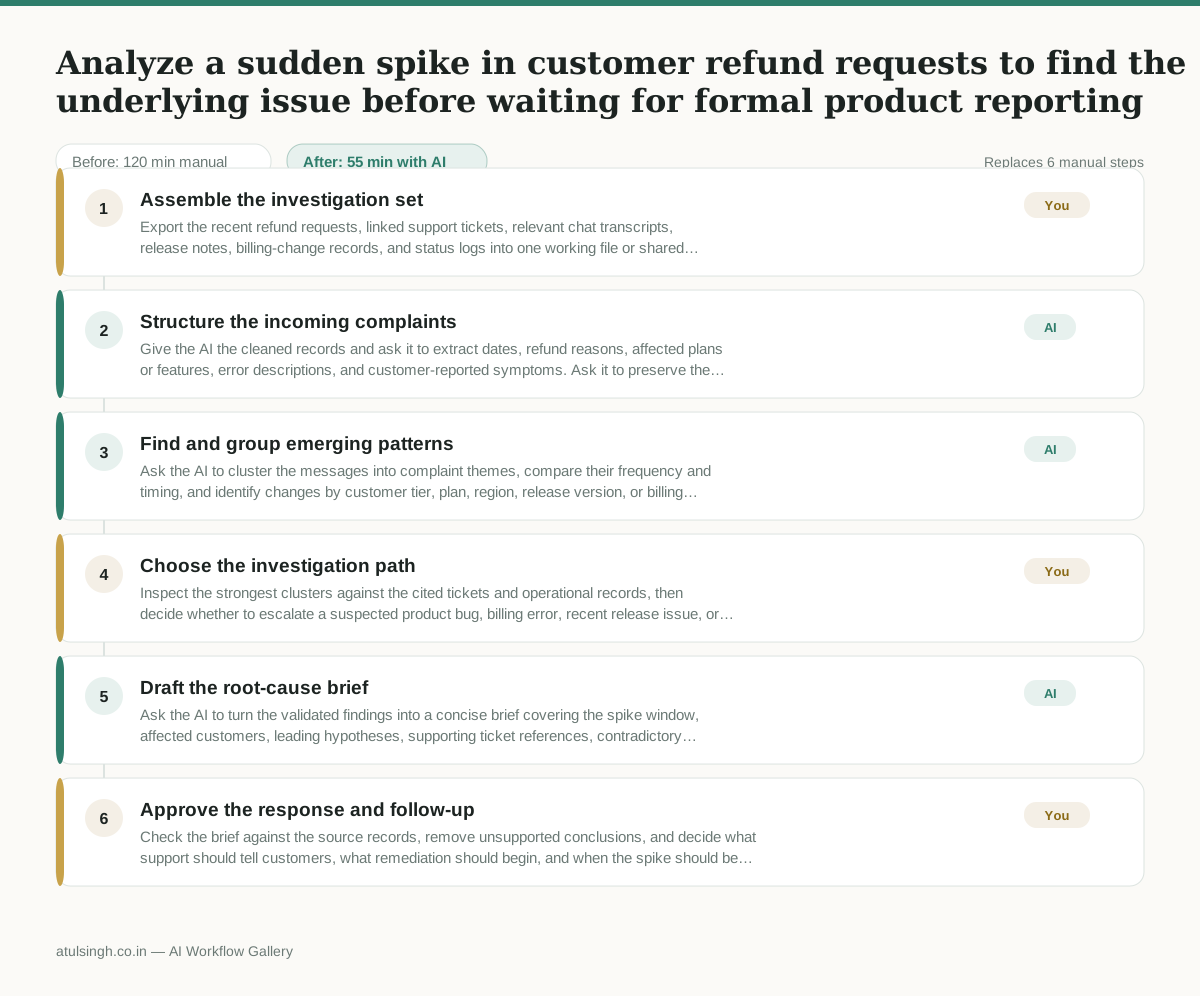
1. Assemble the investigation set
Export the recent refund requests, linked support tickets, relevant chat transcripts, release notes, billing-change records, and status logs into one working file or shared folder. Remove duplicate tickets and redact information that is not needed for the investigation.
- AI
2. Structure the incoming complaints
Give the AI the cleaned records and ask it to extract dates, refund reasons, affected plans or features, error descriptions, and customer-reported symptoms. Ask it to preserve the original ticket reference for every extracted finding rather than treating keywords as proof of a cause.
- AI
3. Find and group emerging patterns
Ask the AI to cluster the messages into complaint themes, compare their frequency and timing, and identify changes by customer tier, plan, region, release version, or billing event. Require example ticket references and a confidence note for each pattern; AI cannot reliably establish causation from support text alone.
- You
4. Choose the investigation path
Inspect the strongest clusters against the cited tickets and operational records, then decide whether to escalate a suspected product bug, billing error, recent release issue, or no clear cause. Record the chosen path and immediately assign the corresponding owner, such as product engineering, billing operations, or continued support monitoring.
- AI
5. Draft the root-cause brief
Ask the AI to turn the validated findings into a concise brief covering the spike window, affected customers, leading hypotheses, supporting ticket references, contradictory evidence, unresolved questions, and the action owner selected by the human.
- You
6. Approve the response and follow-up
Check the brief against the source records, remove unsupported conclusions, and decide what support should tell customers, what remediation should begin, and when the spike should be reviewed again. Share the approved brief with product and operations and keep the source references attached.
What you end up with
Where this falls apart
- Refund requests lack structured context or descriptive text, which causes the AI to group complaints arbitrarily based on noisy keywords and misidentify the root cause.
- Customer messages contain conflicting error descriptions for the same underlying bug, which causes the AI to split a single issue into multiple unrelated clusters and understate its scale.
More for Customer Support Lead
- Review last week's support tickets and find the three macros that need rewriting
- score a sample of agent replies against the team's quality checklist
- Reviewing last week's support tickets to update macros and remove outdated responses before sharing them with the team
- Write the escalation summary before handing a stuck ticket to engineering
Also in support
- Checking whether a client account is confidential before publishing a case study or sharing details externally
- Identifying which accounts are ready for an expansion conversation based on their product usage and feature adoption data.
- Prepare a quarterly business review deck for a customer account using product usage data and past support tickets
- spot which accounts are at renewal risk before the renewal call