
build a 30-day onboarding plan for a new account after kickoff
building a custom 30-day onboarding plan from scratch takes too much time, leading to generic plans that miss specific customer goals discussed during the sales process.
- Before
- 60 min
- After
- 30 min
- Saved
- 30 min
How this used to go
- Review the sales notes and call recordings from the closed-won deal to identify the customer's primary use case and stated goals.
- Open a standard onboarding plan template in a spreadsheet or document.
- Manually adjust milestones, target dates, and check-in cadences to fit the specific customer's timeline and team size.
- Write out custom homework assignments or technical setup steps based on the product tier purchased.
- Draft an introductory email to the customer containing the plan details and schedule the first check-in call.
- Copy and paste the finalized plan into internal project management tracking boards.
translating messy sales notes into structured, account-specific milestones every single time without missing key technical requirements.
The workflow, step by step
- AI
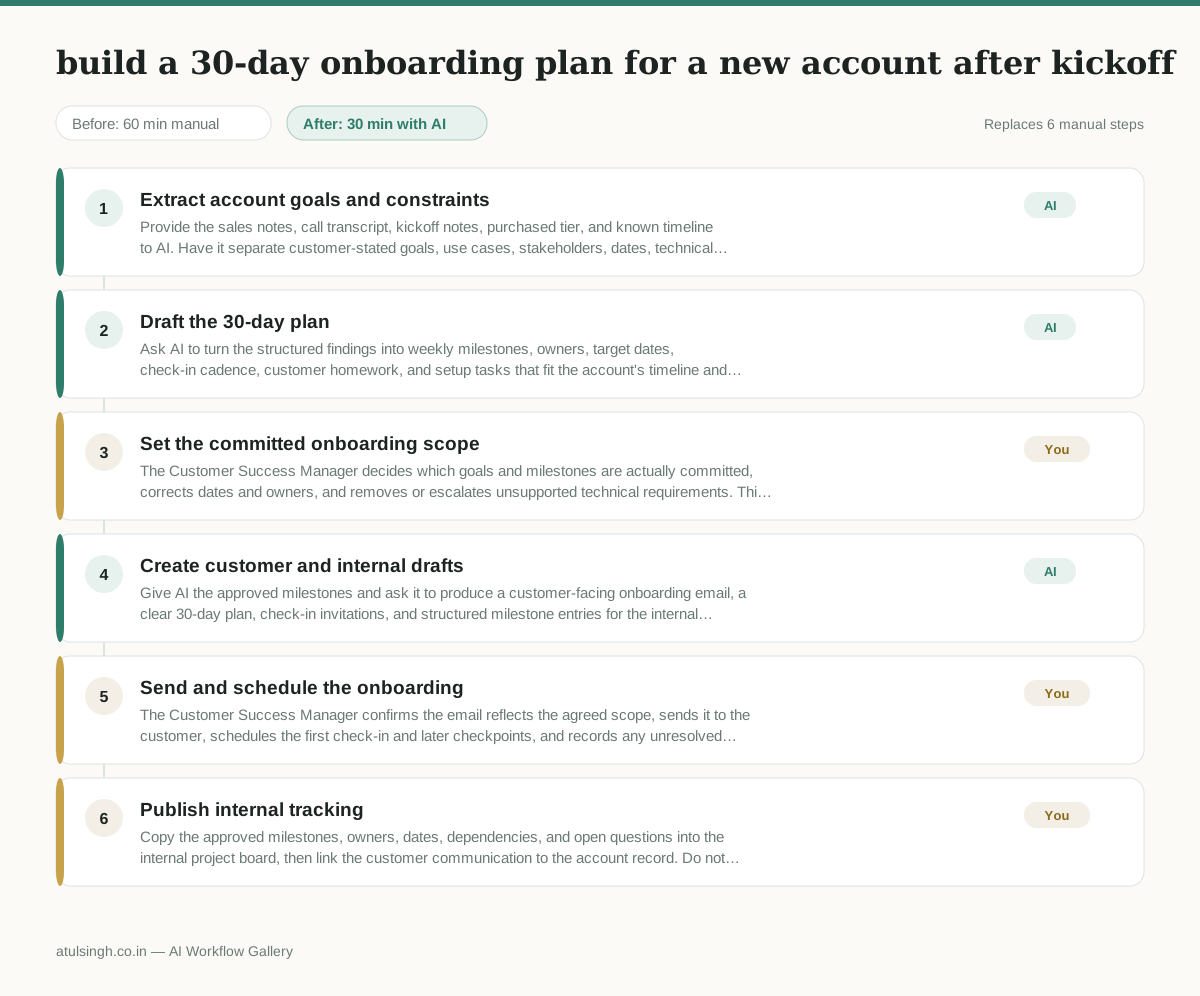
1. Extract account goals and constraints
Provide the sales notes, call transcript, kickoff notes, purchased tier, and known timeline to AI. Have it separate customer-stated goals, use cases, stakeholders, dates, technical requirements, and unanswered questions, labeling assumptions instead of presenting them as facts.
- AI
2. Draft the 30-day plan
Ask AI to turn the structured findings into weekly milestones, owners, target dates, check-in cadence, customer homework, and setup tasks that fit the account's timeline and product tier. Require it to flag any technical step or dependency that is not supported by the source material.
- You
3. Set the committed onboarding scope
The Customer Success Manager decides which goals and milestones are actually committed, corrects dates and owners, and removes or escalates unsupported technical requirements. This decision controls what the customer is promised and which work enters the internal plan.
- AI
4. Create customer and internal drafts
Give AI the approved milestones and ask it to produce a customer-facing onboarding email, a clear 30-day plan, check-in invitations, and structured milestone entries for the internal tracking board. Keep customer commitments limited to the approved scope.
- You
5. Send and schedule the onboarding
The Customer Success Manager confirms the email reflects the agreed scope, sends it to the customer, schedules the first check-in and later checkpoints, and records any unresolved question for follow-up. AI cannot reliably verify that the proposed dates, technical requirements, or customer commitments are feasible without human confirmation.
- You
6. Publish internal tracking
Copy the approved milestones, owners, dates, dependencies, and open questions into the internal project board, then link the customer communication to the account record. Do not publish AI-drafted tasks that were not accepted in the scope decision.
What you end up with
Where this falls apart
- The sales notes or call transcripts contain inaccurate information or misrepresent what the customer purchased, causing the AI to generate a plan with impossible milestones and incorrect product tiers.
- The source materials omit crucial technical dependencies or constraints discussed off-record during the sales process, causing the AI to draft a timeline that violates actual implementation capacity.
More for Customer Success Manager
- Checking whether a client account is confidential before publishing a case study or sharing details externally
- Identifying which accounts are ready for an expansion conversation based on their product usage and feature adoption data.
- Prepare a quarterly business review deck for a customer account using product usage data and past support tickets
- spot which accounts are at renewal risk before the renewal call
Also in support
- Review last week's support tickets and find the three macros that need rewriting
- score a sample of agent replies against the team's quality checklist
- Reviewing last week's support tickets to update macros and remove outdated responses before sharing them with the team
- Write the escalation summary before handing a stuck ticket to engineering