
Reviewing and categorizing customer feedback on a new beta feature before sharing it with the product team
Raw feedback is buried in a high volume of support tickets, Slack messages, and survey responses, mixed with unrelated issues, one-off bugs from a single user, and incomplete thoughts that make it difficult to see actual patterns.
- Before
- 120 min
- After
- 60 min
- Saved
- 60 min
How this used to go
- Export raw feedback text from support tickets, survey tools, and chat channels into a single spreadsheet.
- Read through each entry to remove duplicate submissions and spam.
- Filter out idiosyncratic edge cases, personal feature requests, and complaints unrelated to the beta feature.
- Group the remaining feedback manually by category, such as usability, missing functionality, or performance issues.
- Summarize the grouped findings into a written report for the product team.
Spending an hour reading through irrelevant complaints, emotional rants, and one-off edge cases that do not reflect normal user experience.
The workflow, step by step
- You
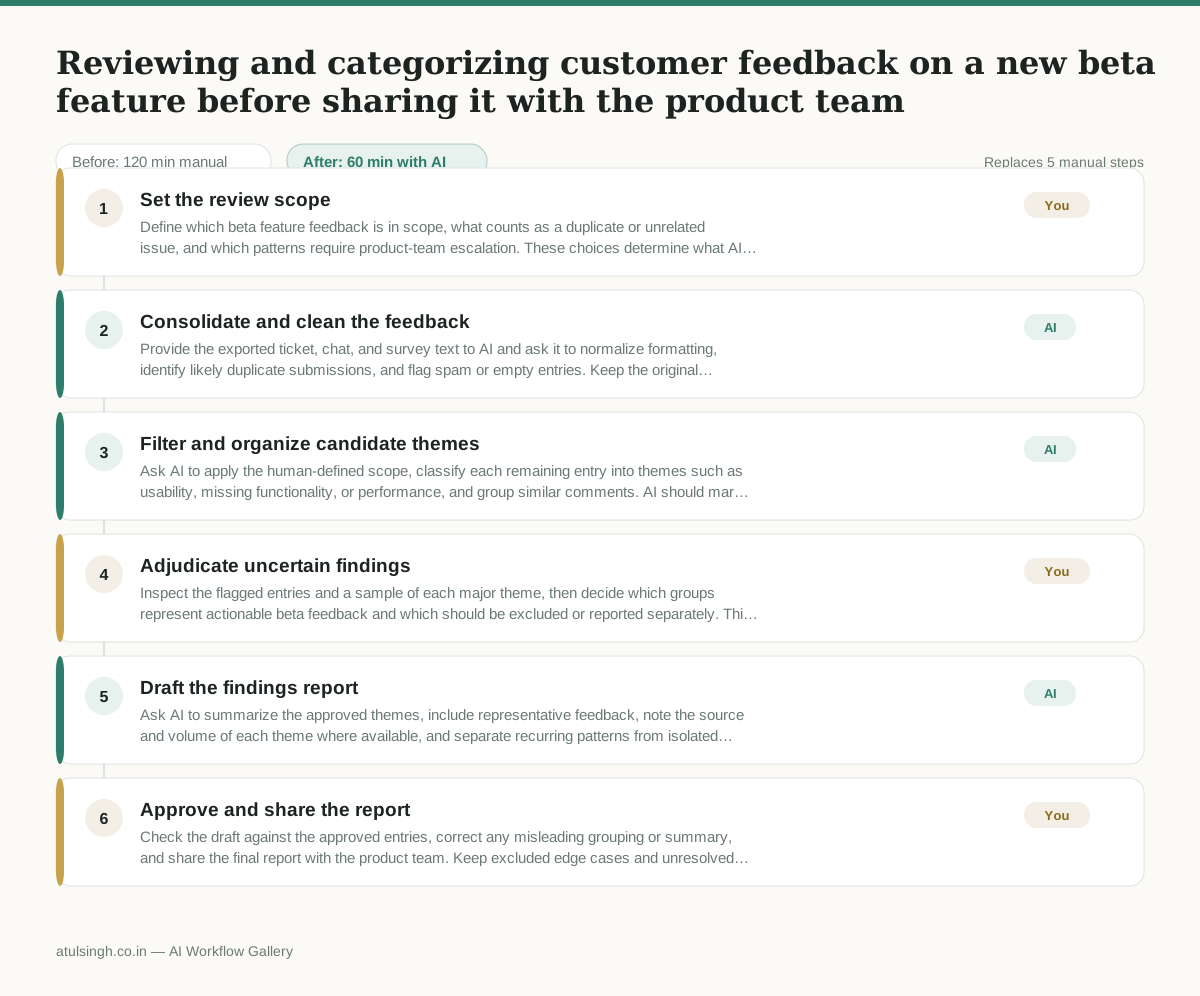
1. Set the review scope
Define which beta feature feedback is in scope, what counts as a duplicate or unrelated issue, and which patterns require product-team escalation. These choices determine what AI can exclude and which findings will appear in the final report.
- AI
2. Consolidate and clean the feedback
Provide the exported ticket, chat, and survey text to AI and ask it to normalize formatting, identify likely duplicate submissions, and flag spam or empty entries. Keep the original text and source reference beside every cleaned entry so the results remain traceable.
- AI
3. Filter and organize candidate themes
Ask AI to apply the human-defined scope, classify each remaining entry into themes such as usability, missing functionality, or performance, and group similar comments. AI should mark uncertain classifications, incomplete thoughts, and apparent one-user edge cases rather than treating them as reliable patterns.
- You
4. Adjudicate uncertain findings
Inspect the flagged entries and a sample of each major theme, then decide which groups represent actionable beta feedback and which should be excluded or reported separately. This decision affects the product team’s priorities, so AI should not make it alone from wording or apparent frequency.
- AI
5. Draft the findings report
Ask AI to summarize the approved themes, include representative feedback, note the source and volume of each theme where available, and separate recurring patterns from isolated reports. Require it to preserve uncertainty and avoid claiming that feedback represents all users.
- You
6. Approve and share the report
Check the draft against the approved entries, correct any misleading grouping or summary, and share the final report with the product team. Keep excluded edge cases and unresolved feedback available as an appendix or source file for follow-up.
What you end up with
Where this falls apart
- Customers use heavy sarcasm or irony in their feedback, causing the model to misclassify complaints as positive statements or functional praise.
- The feedback text contains mixed product contexts without clear feature names, leading the model to group unrelated bug reports under the new beta feature themes.
More for Customer Success Manager
- Checking whether a client account is confidential before publishing a case study or sharing details externally
- Identifying which accounts are ready for an expansion conversation based on their product usage and feature adoption data.
- Prepare a quarterly business review deck for a customer account using product usage data and past support tickets
- spot which accounts are at renewal risk before the renewal call
Also in support
- Review last week's support tickets and find the three macros that need rewriting
- score a sample of agent replies against the team's quality checklist
- Reviewing last week's support tickets to update macros and remove outdated responses before sharing them with the team
- Write the escalation summary before handing a stuck ticket to engineering