
Review support tickets for a key account to summarize friction points before an executive check-in
When you have to pull together a history of issues for a major client meeting, digging through months of closed and open support threads by hand takes hours, and it is easy to miss a recurring technical complaint that the executive will inevitably bring up.
- Before
- 60 min
- After
- 25 min
- Saved
- 35 min
How this used to go
- Open the support ticketing system and filter by the specific key account's domain or company name.
- Export the ticket list and associated conversation histories into a spreadsheet.
- Read through individual ticket threads to categorize complaints into recurring themes like billing, bugs, or onboarding.
- Cross-reference ticket resolution times and note any escalations that breached the service level agreement.
- Draft a summary document or slide deck highlighting the main friction points and recent fixes for the internal team to review.
Reading through dozens of lengthy, back-and-forth support threads to extract the actual root cause of a client's frustration without missing critical details.
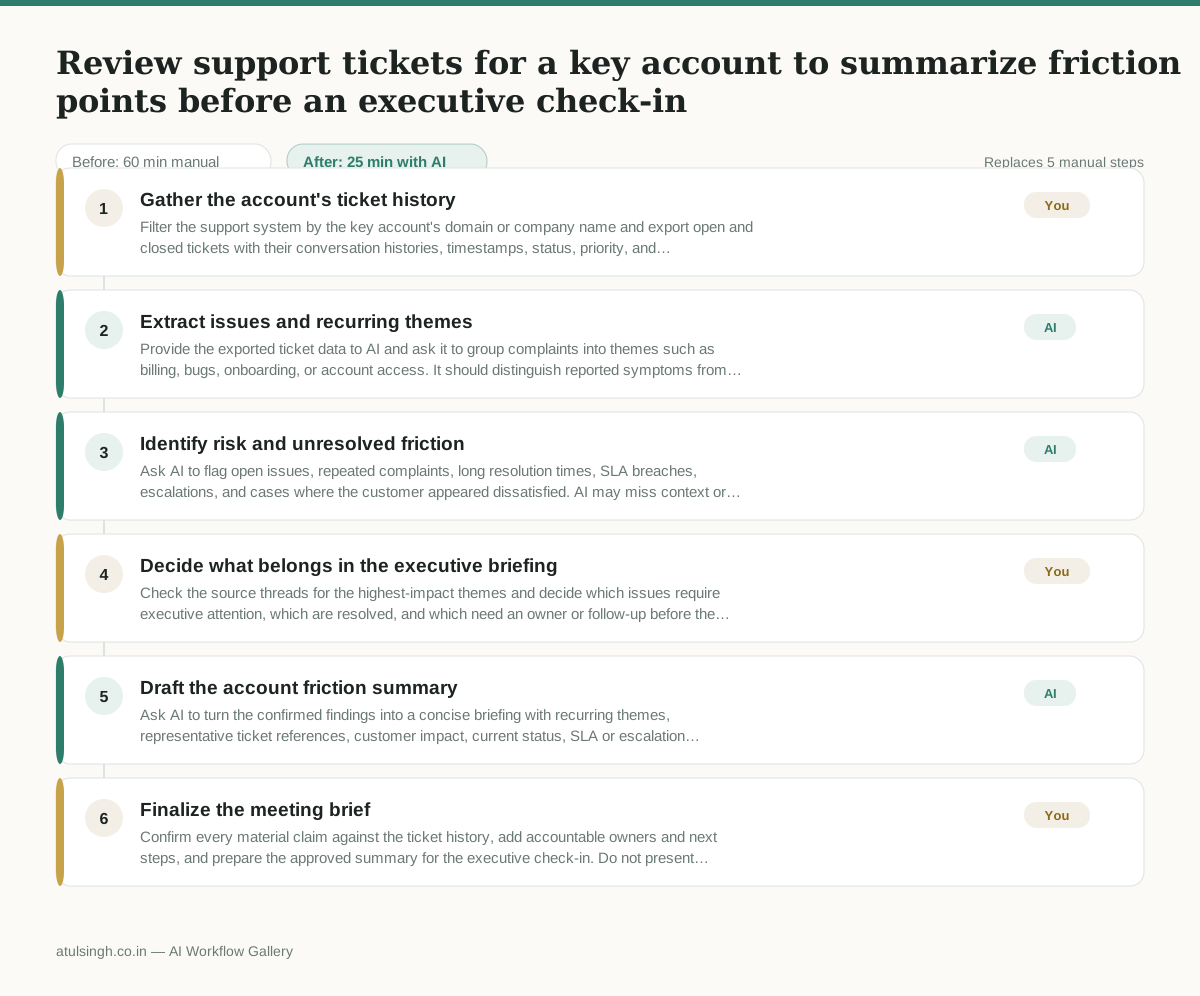
The workflow, step by step
- You
1. Gather the account's ticket history
Filter the support system by the key account's domain or company name and export open and closed tickets with their conversation histories, timestamps, status, priority, and escalation details.
- AI
2. Extract issues and recurring themes
Provide the exported ticket data to AI and ask it to group complaints into themes such as billing, bugs, onboarding, or account access. It should distinguish reported symptoms from likely root causes and cite the relevant ticket or thread for each finding.
- AI
3. Identify risk and unresolved friction
Ask AI to flag open issues, repeated complaints, long resolution times, SLA breaches, escalations, and cases where the customer appeared dissatisfied. AI may miss context or misread a thread, so treat these flags as a triage list rather than verified facts.
- You
4. Decide what belongs in the executive briefing
Check the source threads for the highest-impact themes and decide which issues require executive attention, which are resolved, and which need an owner or follow-up before the meeting. Remove unsupported AI findings and assign consequences such as escalation, remediation, or no action.
- AI
5. Draft the account friction summary
Ask AI to turn the confirmed findings into a concise briefing with recurring themes, representative ticket references, customer impact, current status, SLA or escalation history, recent fixes, and unresolved actions.
- You
6. Finalize the meeting brief
Confirm every material claim against the ticket history, add accountable owners and next steps, and prepare the approved summary for the executive check-in. Do not present AI-generated root causes as facts unless the support record confirms them.
What you end up with
Where this falls apart
- The exported ticket histories contain heavily abbreviated jargon, insider acronyms, or missing thread contexts, causing the AI to hallucinate root causes or miscategorize major technical complaints.
- The support data includes long multi-part threads where multiple issues are discussed concurrently, leading the AI to conflate unrelated problems and miscalculate the frequency of specific friction points.
More for Customer Success Manager
- Checking whether a client account is confidential before publishing a case study or sharing details externally
- Identifying which accounts are ready for an expansion conversation based on their product usage and feature adoption data.
- Prepare a quarterly business review deck for a customer account using product usage data and past support tickets
- spot which accounts are at renewal risk before the renewal call
Also in support
- Review last week's support tickets and find the three macros that need rewriting
- score a sample of agent replies against the team's quality checklist
- Reviewing last week's support tickets to update macros and remove outdated responses before sharing them with the team
- Write the escalation summary before handing a stuck ticket to engineering