
Extracting product feedback and reasons for leaving from final offboarding interview notes before closing a customer account
Important feature requests and product feedback get buried in raw interview transcripts or meeting notes, making it difficult to aggregate why customers actually leave.
- Before
- 30 min
- After
- 15 min
- Saved
- 15 min
How this used to go
- Review the recorded video or raw transcript from the final offboarding call.
- Read through meeting notes to identify mentions of product limitations or missing features.
- Copy and paste relevant quotes and feedback points into a spreadsheet or internal tracking document.
- Categorize the feedback by product area such as billing, reporting, or integrations.
- Update the CRM record with the primary reason for churn and close the account.
Manually digging through dense transcripts to separate casual conversation from actionable product feedback.
The workflow, step by step
- You
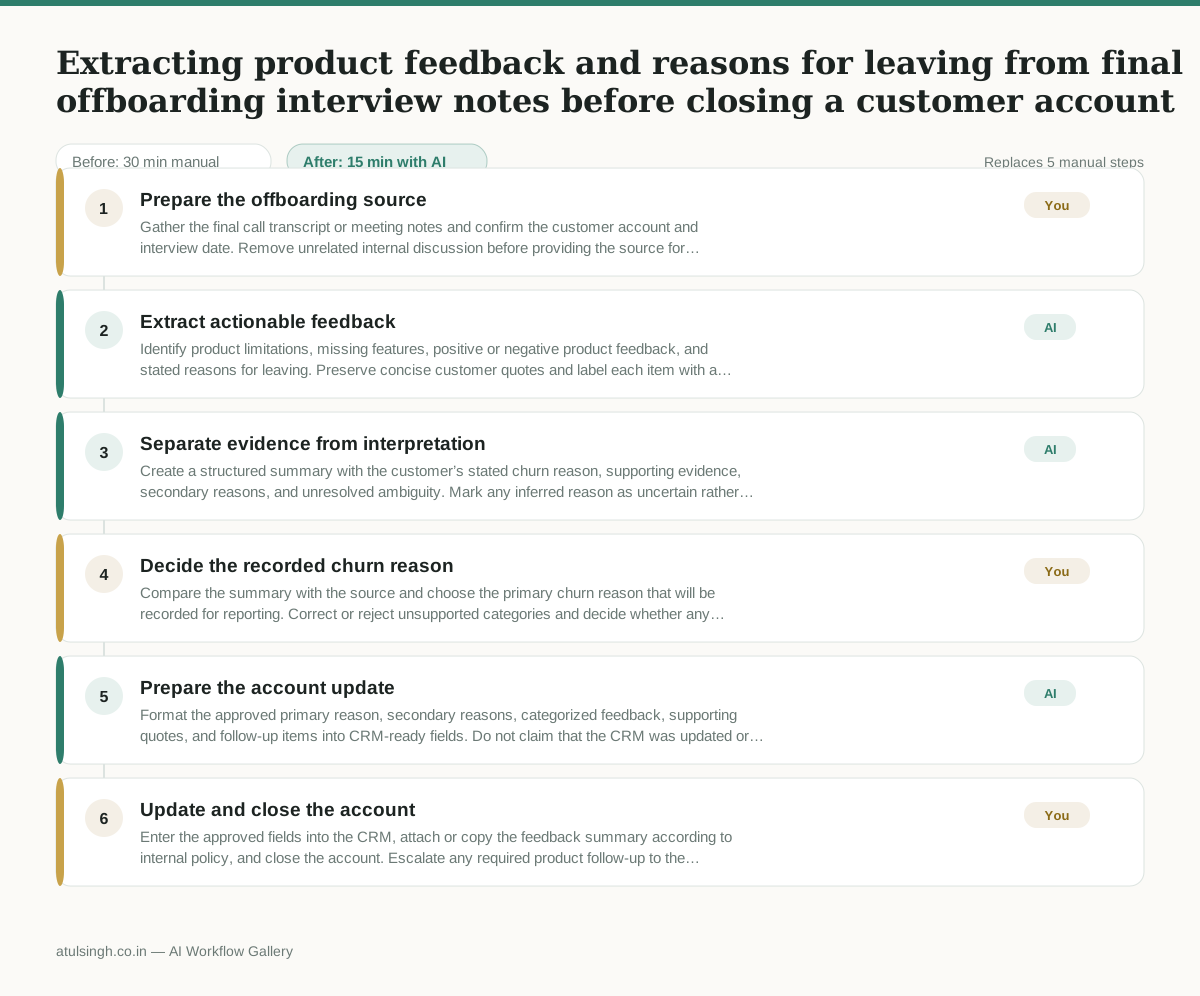
1. Prepare the offboarding source
Gather the final call transcript or meeting notes and confirm the customer account and interview date. Remove unrelated internal discussion before providing the source for extraction.
- AI
2. Extract actionable feedback
Identify product limitations, missing features, positive or negative product feedback, and stated reasons for leaving. Preserve concise customer quotes and label each item with a product area only when the source supports it.
- AI
3. Separate evidence from interpretation
Create a structured summary with the customer’s stated churn reason, supporting evidence, secondary reasons, and unresolved ambiguity. Mark any inferred reason as uncertain rather than presenting it as a customer statement.
- You
4. Decide the recorded churn reason
Compare the summary with the source and choose the primary churn reason that will be recorded for reporting. Correct or reject unsupported categories and decide whether any feedback is sensitive or too ambiguous to enter as a firm conclusion.
- AI
5. Prepare the account update
Format the approved primary reason, secondary reasons, categorized feedback, supporting quotes, and follow-up items into CRM-ready fields. Do not claim that the CRM was updated or that the account was closed.
- You
6. Update and close the account
Enter the approved fields into the CRM, attach or copy the feedback summary according to internal policy, and close the account. Escalate any required product follow-up to the appropriate owner.
What you end up with
Where this falls apart
- The input transcript lacks explicit churn reasons, causing the AI to invent plausible explanations that misrepresent the customer's intent.
- The customer expresses sarcasm or irony during the interview, causing the AI to misinterpret negative feedback as positive or vice versa.
More for Customer Success Manager
- Checking whether a client account is confidential before publishing a case study or sharing details externally
- Identifying which accounts are ready for an expansion conversation based on their product usage and feature adoption data.
- Prepare a quarterly business review deck for a customer account using product usage data and past support tickets
- spot which accounts are at renewal risk before the renewal call
Also in support
- Review last week's support tickets and find the three macros that need rewriting
- score a sample of agent replies against the team's quality checklist
- Reviewing last week's support tickets to update macros and remove outdated responses before sharing them with the team
- Write the escalation summary before handing a stuck ticket to engineering