
Checking on onboarding projects that have gone quiet and figuring out why they are stuck before the client gets annoyed and complains.
Implementation projects stall quietly because client contacts get busy, technical setup hits a snag, or internal teams drop the ball. Customer Success Managers often only notice the delay when a client sends an angry email demanding to know why nothing has happened in three weeks.
- Before
- 60 min
- After
- 25 min
- Saved
- 35 min
How this used to go
- Open the project management board to review the status of all active client implementations.
- Cross-reference the project board with the last communication date in the shared inbox or CRM for each account.
- Open individual project tasks to check which team member or client is assigned as the current bottleneck.
- Draft a manual status inquiry email to the stalled client or schedule an internal check-in with the product or engineering team about technical blockers.
- Update the internal account notes with the current status and manually schedule a follow-up reminder for the end of the week.
Hunting through multiple systems—inbox, project management boards, and support tickets—just to figure out why a single project hasn't moved in a fortnight.
The workflow, step by step
- You
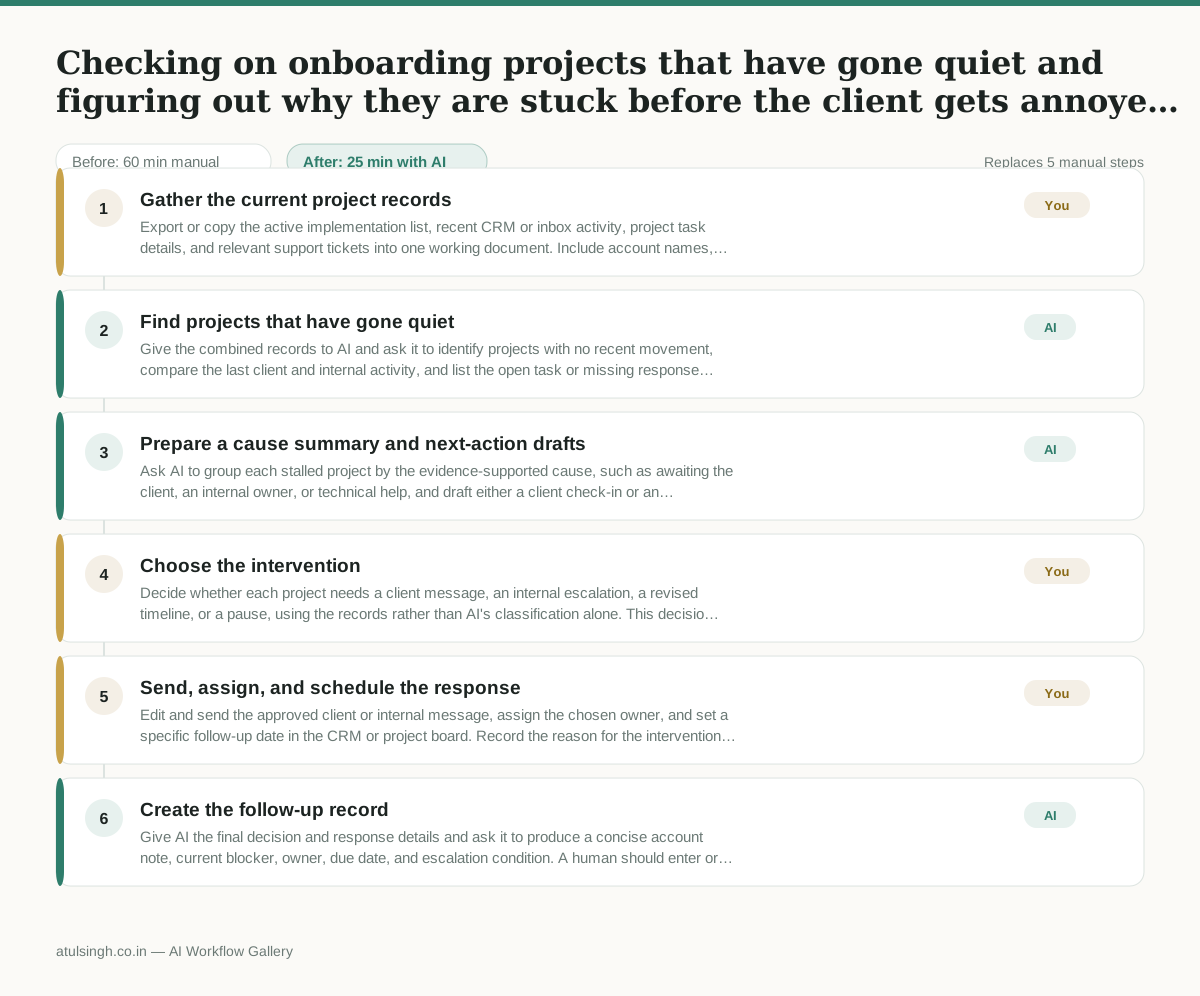
1. Gather the current project records
Export or copy the active implementation list, recent CRM or inbox activity, project task details, and relevant support tickets into one working document. Include account names, project dates, owners, assignees, and the latest recorded activity.
- AI
2. Find projects that have gone quiet
Give the combined records to AI and ask it to identify projects with no recent movement, compare the last client and internal activity, and list the open task or missing response most likely to be holding each project up. It should mark missing or conflicting evidence instead of treating guesses as facts.
- AI
3. Prepare a cause summary and next-action drafts
Ask AI to group each stalled project by the evidence-supported cause, such as awaiting the client, an internal owner, or technical help, and draft either a client check-in or an internal escalation. Each draft should state the known status, the specific next action, and the information needed to proceed.
- You
4. Choose the intervention
Decide whether each project needs a client message, an internal escalation, a revised timeline, or a pause, using the records rather than AI's classification alone. This decision determines who is contacted, what commitment is made to the client, and whether the project remains active.
- You
5. Send, assign, and schedule the response
Edit and send the approved client or internal message, assign the chosen owner, and set a specific follow-up date in the CRM or project board. Record the reason for the intervention and any promised next step so the project does not return to an untracked queue.
- AI
6. Create the follow-up record
Give AI the final decision and response details and ask it to produce a concise account note, current blocker, owner, due date, and escalation condition. A human should enter or verify this record in the system of record because AI cannot reliably know whether a message was sent or a task was actually completed.
What you end up with
Where this falls apart
- Communication happens across unmonitored channels like phone calls or direct messaging apps, causing the AI to misinterpret active accounts as stalled.
- Internal team members update project boards inconsistently, causing the AI to generate false alarms and incorrect blocker classifications based on missing status data.
More for Customer Success Manager
- Checking whether a client account is confidential before publishing a case study or sharing details externally
- Identifying which accounts are ready for an expansion conversation based on their product usage and feature adoption data.
- Prepare a quarterly business review deck for a customer account using product usage data and past support tickets
- spot which accounts are at renewal risk before the renewal call
Also in support
- Review last week's support tickets and find the three macros that need rewriting
- score a sample of agent replies against the team's quality checklist
- Reviewing last week's support tickets to update macros and remove outdated responses before sharing them with the team
- Write the escalation summary before handing a stuck ticket to engineering