
turning weekly blog posts into a shorter email newsletter without keeping the same repetitive introductions
copying, pasting, and editing multiple posts takes too much time, and it is easy to miss repetitive opening paragraphs that readers skim past anyway
- Before
- 60 min
- After
- 25 min
- Saved
- 35 min
How this used to go
- Open the content management system to find all blog posts published during the current week.
- Copy the text of the first blog post into a separate document or the email draft.
- Read through the introduction to identify and delete repetitive filler phrases or generic welcomes.
- Condense the main body paragraphs into short summaries with links back to the full articles.
- Repeat the copying, editing, and condensing steps for every remaining post from the week.
- Paste the cleaned summaries into the email marketing platform, add subject lines, and send a test email.
having to manually read through every single intro to rewrite or delete repetitive opening sentences gets tedious and slows down the whole routine
The workflow, step by step
- You
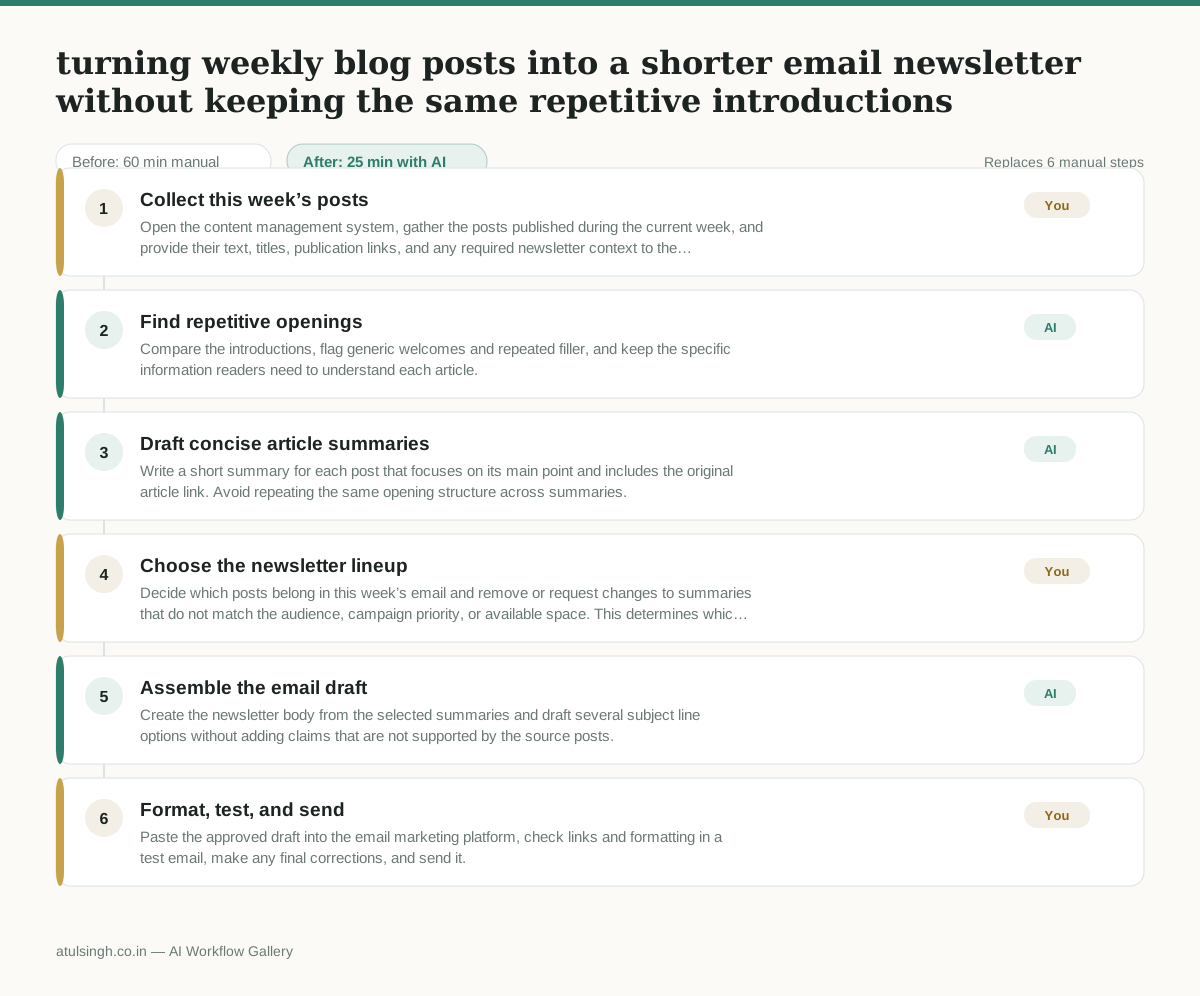
1. Collect this week’s posts
Open the content management system, gather the posts published during the current week, and provide their text, titles, publication links, and any required newsletter context to the AI.
- AI
2. Find repetitive openings
Compare the introductions, flag generic welcomes and repeated filler, and keep the specific information readers need to understand each article.
- AI
3. Draft concise article summaries
Write a short summary for each post that focuses on its main point and includes the original article link. Avoid repeating the same opening structure across summaries.
- You
4. Choose the newsletter lineup
Decide which posts belong in this week’s email and remove or request changes to summaries that do not match the audience, campaign priority, or available space. This determines which articles readers will see and which are left out.
- AI
5. Assemble the email draft
Create the newsletter body from the selected summaries and draft several subject line options without adding claims that are not supported by the source posts.
- You
6. Format, test, and send
Paste the approved draft into the email marketing platform, check links and formatting in a test email, make any final corrections, and send it.
What you end up with
Where this falls apart
- The source blog posts contain contradictory information or varied viewpoints, which causes the AI to generate a confused summary that misrepresents the original content.
- The input text lacks clear distinct main points for each article, which causes the AI to produce repetitive or overly generic summaries for the newsletter.
More for Content Marketer
- Turn a recorded customer interview into a draft blog post
- Sorting incoming customer leads from web forms and assigning them to the right sales reps based on company size and location
- Turn a technical whitepaper into a three-part email nurture sequence before it launches
- Reviewing an existing ranking article, checking every claim and figure against current source data, and identifying outdated statements before republication
Also in marketing
- Analyze competitor viral posts to draft three trend hooks, discarding off-brand angles
- pitching influencers and checking their engagement before sending messages
- Write and test five ad variants for one campaign from a single landing page
- Pulling the weekly paid channel report and explaining what actually drove the performance changes