
Reviewing open pipeline deals that have gone quiet and drafting final close-out emails to clear dead opportunities
Deals sit in the CRM long after prospects stop responding, skewing pipeline forecasts and wasting time on manual follow-ups that yield no response.
- Before
- 45 min
- After
- 15 min
- Saved
- 30 min
How this used to go
- Open the CRM and filter the pipeline for deals with no activity in the last 30 to 60 days.
- Click into each stale deal individually to review the history of past emails and call notes.
- Draft a polite break-up or final check-in email referencing the previous conversation.
- Copy and paste the draft into the email client, adjust the prospect's name and details, and send.
- Update the CRM deal stage to 'Closed Lost' or schedule a final task reminder for a future date.
Reading back through old message threads to piece together context before writing yet another ignored follow-up.
The workflow, step by step
- You
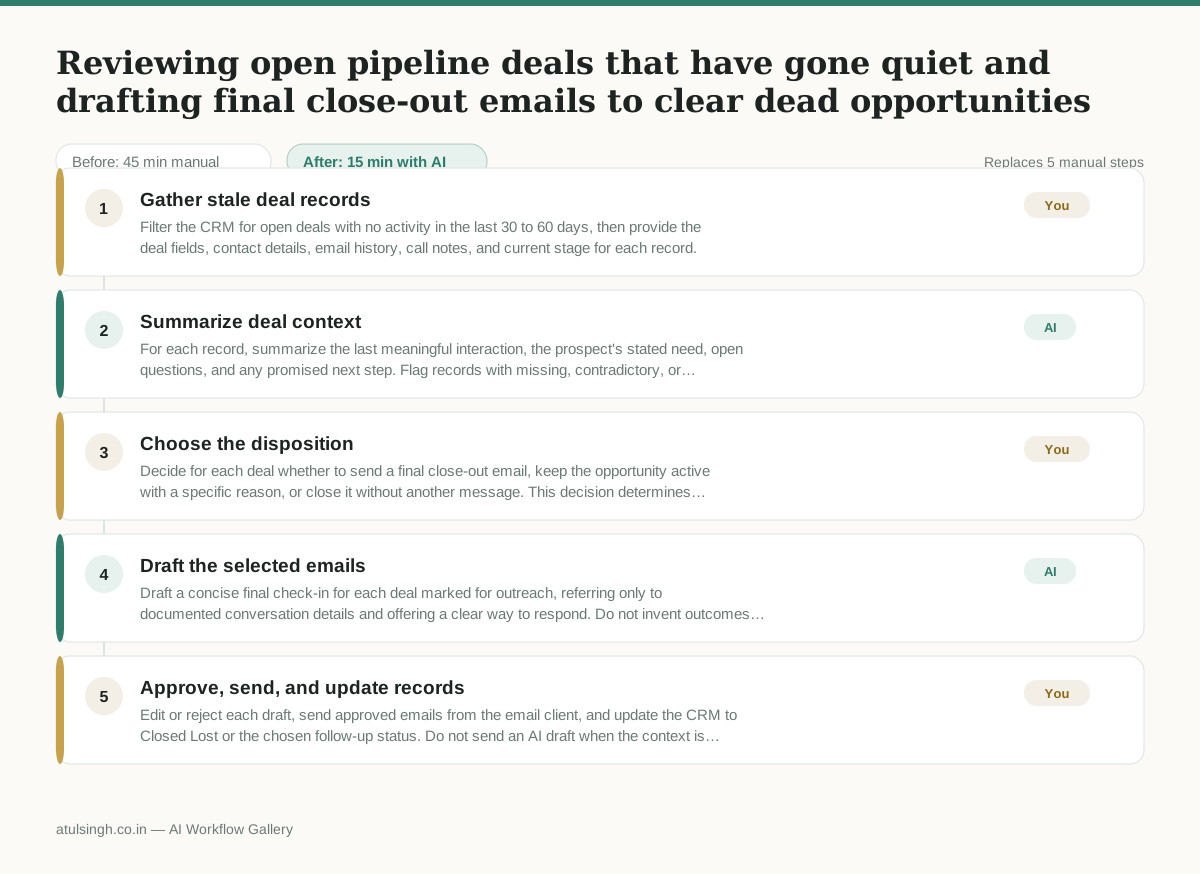
1. Gather stale deal records
Filter the CRM for open deals with no activity in the last 30 to 60 days, then provide the deal fields, contact details, email history, call notes, and current stage for each record.
- AI
2. Summarize deal context
For each record, summarize the last meaningful interaction, the prospect's stated need, open questions, and any promised next step. Flag records with missing, contradictory, or insufficient context instead of filling gaps.
- You
3. Choose the disposition
Decide for each deal whether to send a final close-out email, keep the opportunity active with a specific reason, or close it without another message. This decision determines whether the deal leaves the active pipeline and whether the prospect receives another contact.
- AI
4. Draft the selected emails
Draft a concise final check-in for each deal marked for outreach, referring only to documented conversation details and offering a clear way to respond. Do not invent outcomes, dates, objections, or commitments, and identify any draft that needs missing information.
- You
5. Approve, send, and update records
Edit or reject each draft, send approved emails from the email client, and update the CRM to Closed Lost or the chosen follow-up status. Do not send an AI draft when the context is unclear or the message could misstate the prior conversation.
What you end up with
Where this falls apart
- CRM records contain outdated or inaccurate notes, causing the AI to summarize incorrect context and draft a message referencing the wrong past discussion.
- The contact history relies heavily on phone calls that were never logged in the CRM, leaving the AI with insufficient data to produce a relevant follow-up email.
More for Account Executive
- Prep for a B2B demo call by checking recent company news, job postings, and tech stack changes to build relevant questions.
- Reviving deals that went quiet after sending a proposal by finding matching case studies and writing a follow-up message.
- Reviewing discovery call notes before booking a software demo to check if the prospect has a real budget, a hard timeline, and actual authority to buy.
- Tailor the demo pitch to different stakeholders based on company research and discovery notes
Also in sales
- Research an incoming company and its decision makers before a first sales meeting
- Reviewing a new sales rep's practice pitch against the team's call criteria before letting them talk to real prospects
- reaching out to former colleagues and personal contacts to announce a new company or product launch without sounding like a spammy marketer
- Turn raw discovery call notes into a structured pilot proposal for a new client