
preparing a reference briefing before connecting a prospect with an existing customer
Account Executives have to manually dig through old CRM notes, support tickets, and Slack channels to find a customer whose company size, industry, and use case match the prospect, which often leads to mismatching references or reaching out to a customer who is unhappy or too busy.
- Before
- 45 min
- After
- 20 min
- Saved
- 25 min
How this used to go
- Review the prospect's CRM record to identify their industry, company size, tech stack, and stated pain points.
- Search the CRM or internal customer lists for past deals that match the prospect's profile.
- Check internal communication channels or customer health scores to confirm the candidate reference is still active and satisfied.
- Ping the account manager or customer success manager of the reference company to ask for permission to use them.
- Draft a summary document outlining the matching details to send to the prospect.
Discovering that a chosen reference customer has recently churned, gone through a leadership change, or is dealing with an active support issue right before the introduction.
The workflow, step by step
- AI
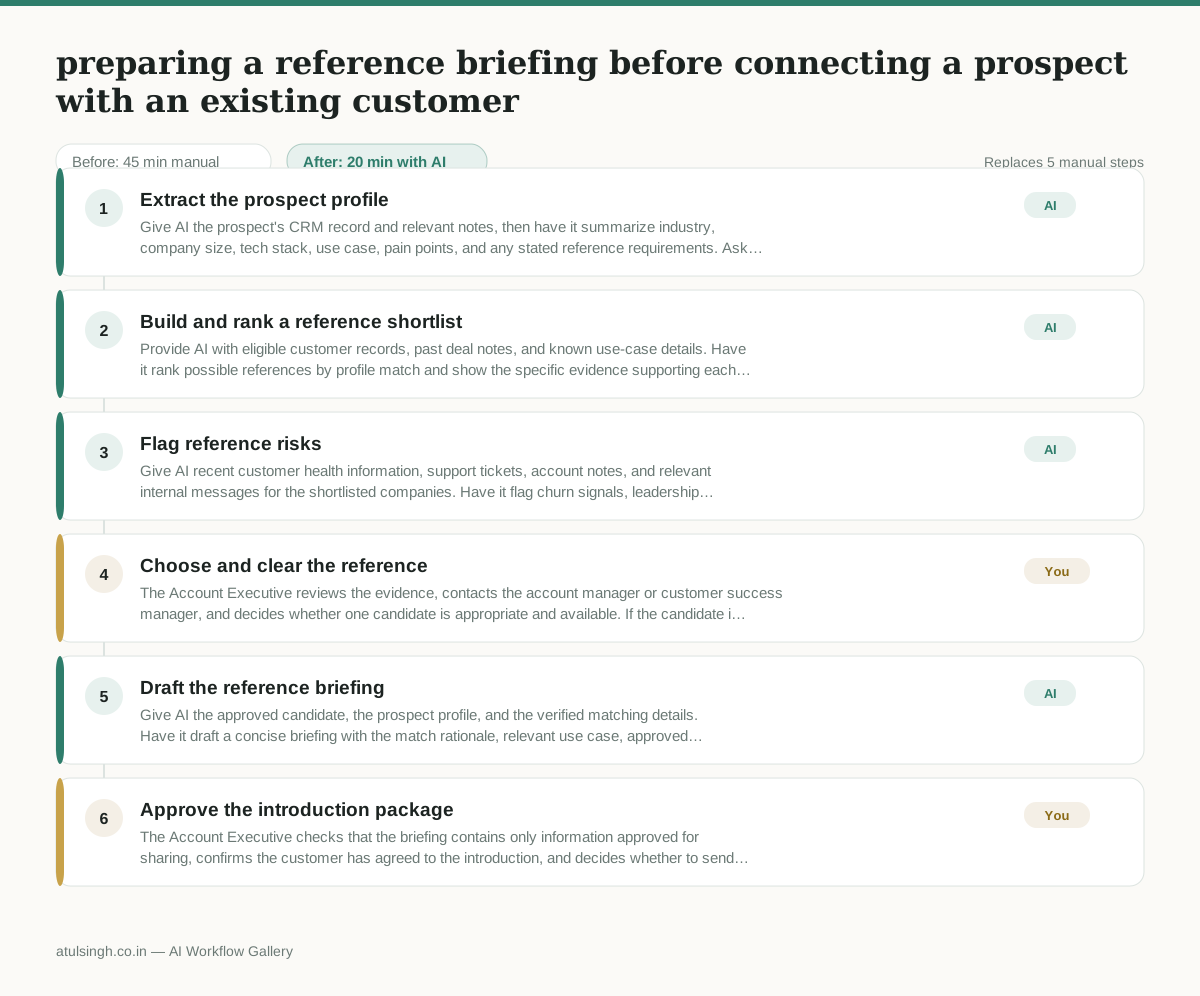
1. Extract the prospect profile
Give AI the prospect's CRM record and relevant notes, then have it summarize industry, company size, tech stack, use case, pain points, and any stated reference requirements. Ask it to mark missing or conflicting information instead of filling gaps.
- AI
2. Build and rank a reference shortlist
Provide AI with eligible customer records, past deal notes, and known use-case details. Have it rank possible references by profile match and show the specific evidence supporting each match.
- AI
3. Flag reference risks
Give AI recent customer health information, support tickets, account notes, and relevant internal messages for the shortlisted companies. Have it flag churn signals, leadership changes, active support issues, workload concerns, stale data, and any claims it cannot verify; AI should not be treated as the final judge of customer satisfaction.
- You
4. Choose and clear the reference
The Account Executive reviews the evidence, contacts the account manager or customer success manager, and decides whether one candidate is appropriate and available. If the candidate is unhappy, unavailable, insufficiently similar, or unwilling to participate, reject that candidate and select another or stop the reference process.
- AI
5. Draft the reference briefing
Give AI the approved candidate, the prospect profile, and the verified matching details. Have it draft a concise briefing with the match rationale, relevant use case, approved customer context, suggested discussion questions, and clear caveats where evidence is incomplete.
- You
6. Approve the introduction package
The Account Executive checks that the briefing contains only information approved for sharing, confirms the customer has agreed to the introduction, and decides whether to send it and make the connection. Remove sensitive details or cancel the introduction if consent, accuracy, or timing is uncertain.
What you end up with
Where this falls apart
- The CRM contains outdated customer records that fail to reflect recent business model shifts, causing the AI to recommend an irrelevant reference.
- Support ticket histories lack sentiment tagging or use ambiguous language, causing the AI to misclassify an unhappy customer as a safe reference candidate.
More for Account Executive
- Prep for a B2B demo call by checking recent company news, job postings, and tech stack changes to build relevant questions.
- Reviving deals that went quiet after sending a proposal by finding matching case studies and writing a follow-up message.
- Reviewing discovery call notes before booking a software demo to check if the prospect has a real budget, a hard timeline, and actual authority to buy.
- Tailor the demo pitch to different stakeholders based on company research and discovery notes
Also in sales
- Research an incoming company and its decision makers before a first sales meeting
- Reviewing a new sales rep's practice pitch against the team's call criteria before letting them talk to real prospects
- reaching out to former colleagues and personal contacts to announce a new company or product launch without sounding like a spammy marketer
- Turn raw discovery call notes into a structured pilot proposal for a new client