
Map account distribution across territories and fix imbalances with leadership before the new quarter starts
Territory balancing requires cross-referencing account lists, employee counts, revenue tiers, and current assignments across multiple spreadsheets, which usually results in uneven workloads, missed accounts, and endless meetings with sales leaders trying to agree on who owns what.
- Before
- 240 min
- After
- 120 min
- Saved
- 120 min
How this used to go
- Export current account lists and CRM ownership data into a master spreadsheet.
- Filter and categorise accounts by region, industry, employee count, and annual revenue.
- Calculate the total number of accounts and historical pipeline assigned to each sales rep.
- Identify overloaded reps and territories with too few accounts.
- Draft proposed reassignments and highlight edge cases like parent-subsidiary accounts or active opportunities.
- Schedule review meetings with sales managers to debate and adjust the proposed changes.
- Update the CRM records with the final agreed territory assignments.
Reconciling outdated CRM data with conflicting manager opinions during territory review meetings.
The workflow, step by step
- You
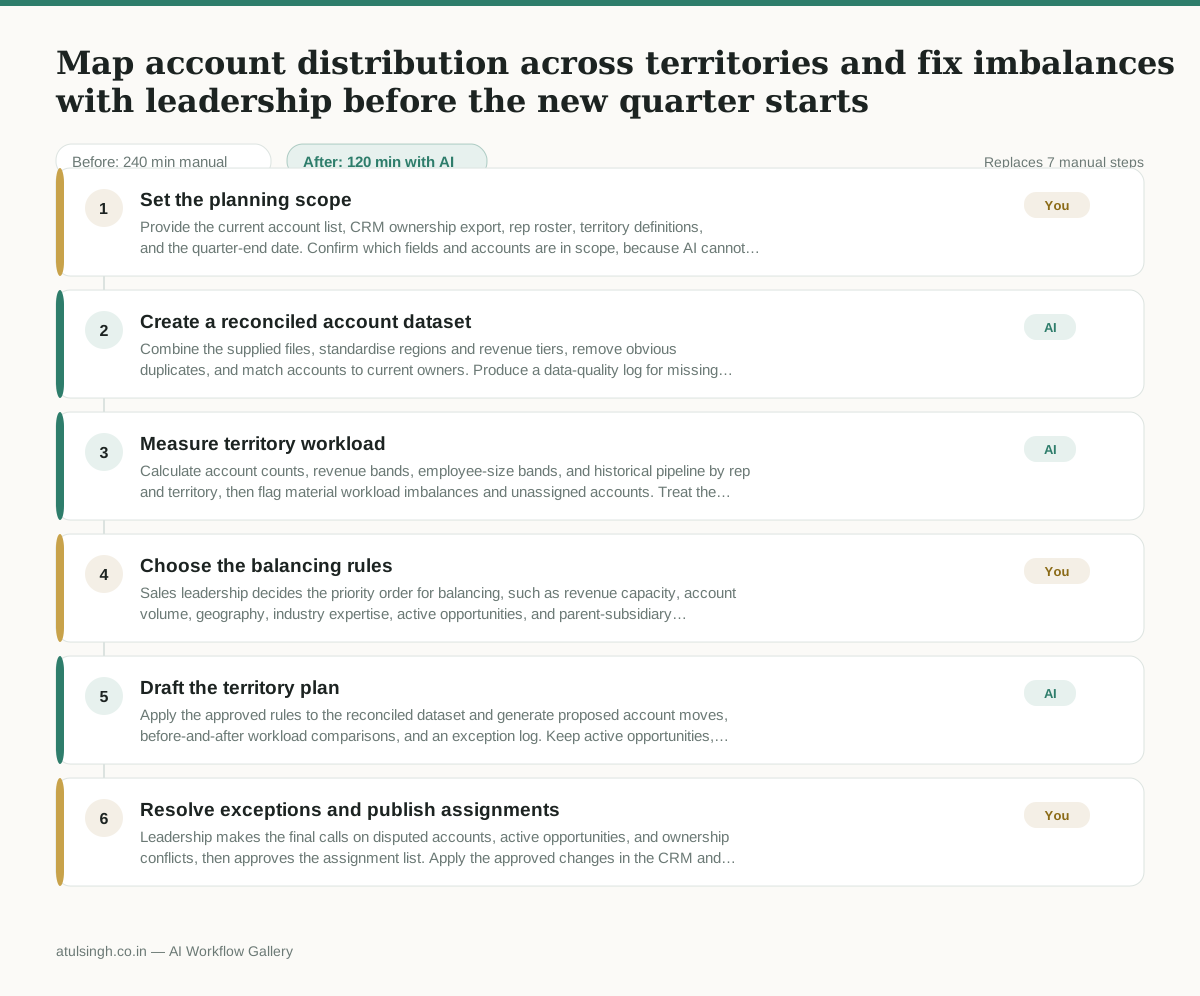
1. Set the planning scope
Provide the current account list, CRM ownership export, rep roster, territory definitions, and the quarter-end date. Confirm which fields and accounts are in scope, because AI cannot determine whether an incomplete or outdated source should be trusted.
- AI
2. Create a reconciled account dataset
Combine the supplied files, standardise regions and revenue tiers, remove obvious duplicates, and match accounts to current owners. Produce a data-quality log for missing employee counts, conflicting ownership, duplicate parent records, and other items that require human confirmation.
- AI
3. Measure territory workload
Calculate account counts, revenue bands, employee-size bands, and historical pipeline by rep and territory, then flag material workload imbalances and unassigned accounts. Treat the calculations as decision support rather than a prediction of future opportunity, since AI cannot reliably infer account potential from incomplete historical data.
- You
4. Choose the balancing rules
Sales leadership decides the priority order for balancing, such as revenue capacity, account volume, geography, industry expertise, active opportunities, and parent-subsidiary ownership. Approve the thresholds and exceptions that will govern reassignment; this decision determines who may lose or gain accounts and cannot be delegated to AI.
- AI
5. Draft the territory plan
Apply the approved rules to the reconciled dataset and generate proposed account moves, before-and-after workload comparisons, and an exception log. Keep active opportunities, strategic accounts, and uncertain parent-subsidiary relationships out of automatic reassignment unless leadership has explicitly authorised those changes.
- You
6. Resolve exceptions and publish assignments
Leadership makes the final calls on disputed accounts, active opportunities, and ownership conflicts, then approves the assignment list. Apply the approved changes in the CRM and retain the decision log so future territory reviews can distinguish agreed exceptions from data errors.
What you end up with
Where this falls apart
- The CRM contains unmerged duplicate accounts with conflicting revenue data, which causes the AI to split related child accounts across different reps.
- Sales leadership changes balancing priorities after the draft plan is generated, which forces the team to restart data reconciliation and rule configuration from scratch.
More for RevOps / Sales Ops
- Find and merge duplicate contacts and companies, and flag stale deals before the monthly pipeline review
- clean up a messy CRM export and build a forecast the sales leader will actually trust for the board meeting
- Document the sales process so a new sales rep can follow it without constantly asking questions
- Find and merge duplicate CRM records before the pipeline review
Also in revops
- Turn a recurring cross-team problem into a documented handoff
- mapping messy customer onboarding notes into our CRM and project management board
- finding out which team is dropping the ball on customer handoffs
- Checking monthly expense reports for unusual jumps in supply costs before sending them to finance