
diagnose why lead acquisition costs doubled and cut wasted ad spend before the monthly budget runs out
Campaign performance degrades quietly over weeks. By the time the spike in cost per lead shows up in weekly reporting, the budget is already spent on underperforming ads, outdated keyword match types, or fatiguing creative variants that no longer convert.
- Before
- 120 min
- After
- 45 min
- Saved
- 75 min
How this used to go
- Export the last 30 days of campaign performance data from the advertising platform into a spreadsheet.
- Filter and segment the data by ad set, audience demographic, and individual creative asset.
- Compare current cost-per-lead and click-through rates against historical benchmarks to isolate anomalies.
- Review search term reports to identify irrelevant queries triggering paid clicks.
- Pause underperforming ads and adjust daily budget allocations across active campaigns.
Manually sifting through massive rows of performance data to find the root cause while feeling the pressure of wasted ad spend ticking up by the hour.
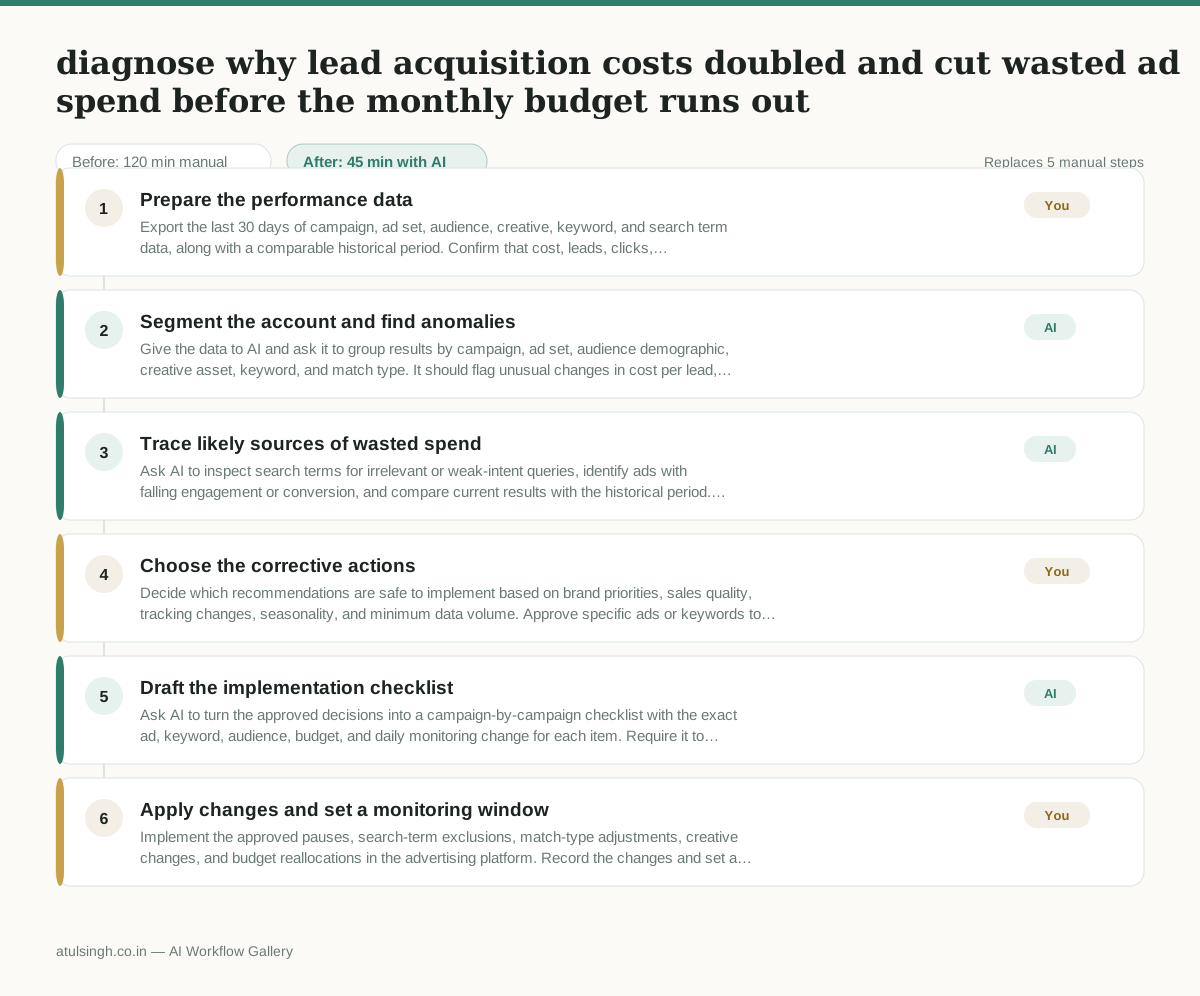
The workflow, step by step
- You
1. Prepare the performance data
Export the last 30 days of campaign, ad set, audience, creative, keyword, and search term data, along with a comparable historical period. Confirm that cost, leads, clicks, impressions, spend, dates, and conversion definitions are included before analysis begins.
- AI
2. Segment the account and find anomalies
Give the data to AI and ask it to group results by campaign, ad set, audience demographic, creative asset, keyword, and match type. It should flag unusual changes in cost per lead, click-through rate, conversion rate, spend share, and lead volume, while marking small samples as low confidence.
- AI
3. Trace likely sources of wasted spend
Ask AI to inspect search terms for irrelevant or weak-intent queries, identify ads with falling engagement or conversion, and compare current results with the historical period. Treat these as prioritised signals rather than proof of causation; AI cannot reliably determine why performance changed without business and tracking context.
- You
4. Choose the corrective actions
Decide which recommendations are safe to implement based on brand priorities, sales quality, tracking changes, seasonality, and minimum data volume. Approve specific ads or keywords to pause, negative keywords or match-type changes to make, and budget reallocations, while rejecting changes that could remove valuable but low-volume demand.
- AI
5. Draft the implementation checklist
Ask AI to turn the approved decisions into a campaign-by-campaign checklist with the exact ad, keyword, audience, budget, and daily monitoring change for each item. Require it to preserve the human-approved limits and separate immediate actions from tests that need more evidence.
- You
6. Apply changes and set a monitoring window
Implement the approved pauses, search-term exclusions, match-type adjustments, creative changes, and budget reallocations in the advertising platform. Record the changes and set a follow-up check against cost per lead, lead quality, spend, and conversion rate so further action is based on new evidence.
What you end up with
Where this falls apart
- The tracking setup on the website is broken or misattributed, which causes the AI to analyze incorrect conversion data and recommend pausing high-performing ads.
- Seasonality causes a sudden drop in buyer intent that mimics ad fatigue, which causes the AI to incorrectly flag working creative variants as wasted spend.
More for Performance Marketer
- Write and test five ad variants for one campaign from a single landing page
- Pulling the weekly paid channel report and explaining what actually drove the performance changes
- Figure out why ad spend suddenly stopped working and cost per lead doubled over the last week.
- Write and test five ad variants for a campaign, pausing underperformers after launch
Also in marketing
- Turn a recorded customer interview into a draft blog post
- Sorting incoming customer leads from web forms and assigning them to the right sales reps based on company size and location
- Turn a technical whitepaper into a three-part email nurture sequence before it launches
- Analyze competitor viral posts to draft three trend hooks, discarding off-brand angles