
Audit stalled requests between departments and escalate systemic bottlenecks to leadership after the weekly review
Cross-departmental requests get stuck in individual inboxes or status fields, making it difficult to spot patterns before leadership asks why a deal or customer ticket is delayed.
- Before
- 60 min
- After
- 25 min
- Saved
- 35 min
How this used to go
- Pull open cross-functional request trackers and export current status data into a spreadsheet
- Filter for items marked pending or waiting on another department for more than a set threshold of days
- Cross-reference stalled items with communication threads or direct messages to find out where responsibility currently sits
- Categorize the reasons for delays to separate individual oversight from recurring process blockages
- Compile the stalled items and recurring patterns into a summary report for the weekly leadership review
Chasing down colleagues across different tools just to find out why a ticket hasn't moved in a week.
The workflow, step by step
- AI
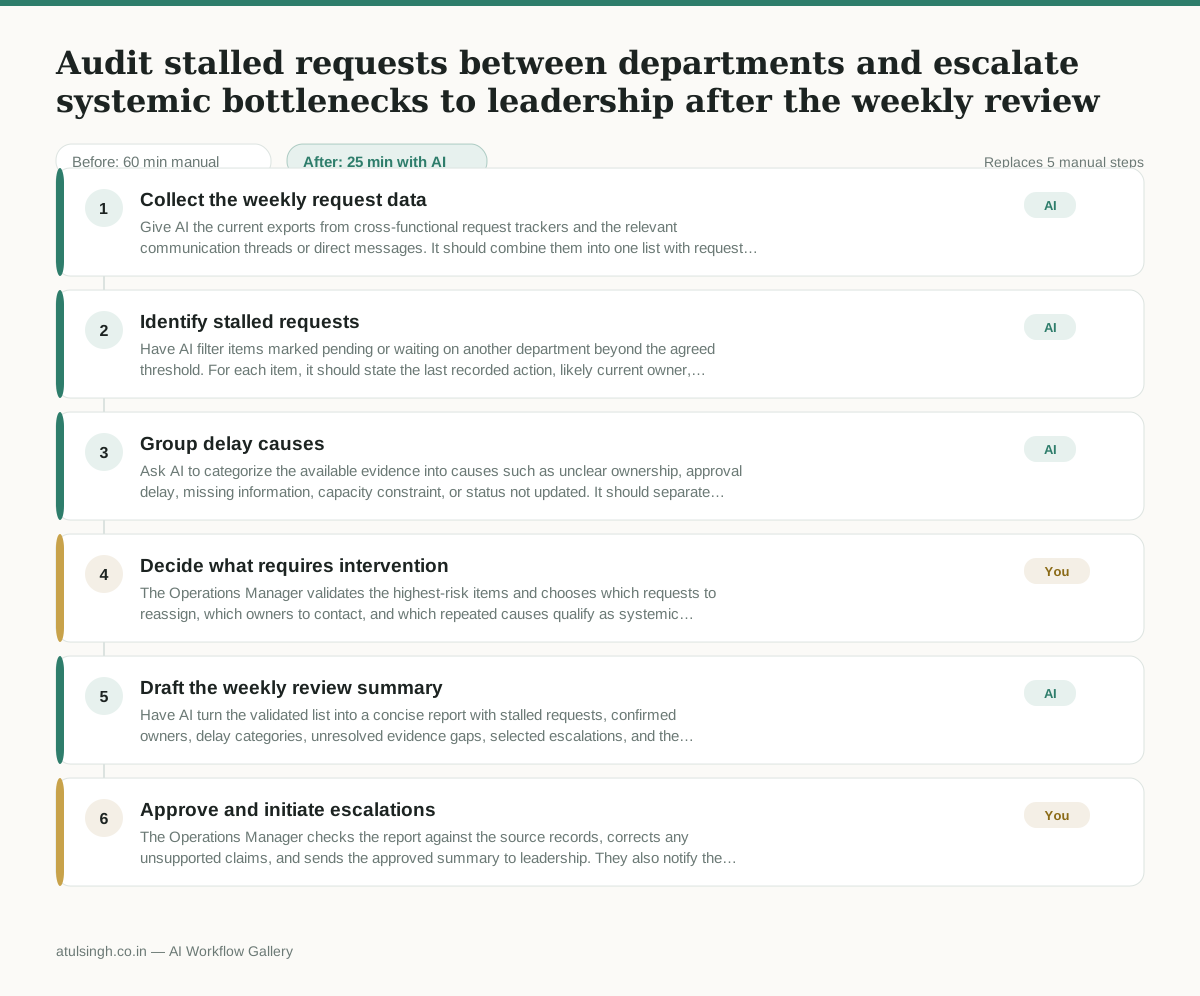
1. Collect the weekly request data
Give AI the current exports from cross-functional request trackers and the relevant communication threads or direct messages. It should combine them into one list with request status, age, departments involved, and the latest available activity.
- AI
2. Identify stalled requests
Have AI filter items marked pending or waiting on another department beyond the agreed threshold. For each item, it should state the last recorded action, likely current owner, and any missing evidence instead of treating silence as proof of responsibility.
- AI
3. Group delay causes
Ask AI to categorize the available evidence into causes such as unclear ownership, approval delay, missing information, capacity constraint, or status not updated. It should separate supported findings from uncertain cases and flag where it cannot reliably determine the cause.
- You
4. Decide what requires intervention
The Operations Manager validates the highest-risk items and chooses which requests to reassign, which owners to contact, and which repeated causes qualify as systemic bottlenecks. These decisions determine who is accountable and which issues are escalated to leadership.
- AI
5. Draft the weekly review summary
Have AI turn the validated list into a concise report with stalled requests, confirmed owners, delay categories, unresolved evidence gaps, selected escalations, and the consequence of continued delay for each priority item.
- You
6. Approve and initiate escalations
The Operations Manager checks the report against the source records, corrects any unsupported claims, and sends the approved summary to leadership. They also notify the chosen owners and record the actions, deadlines, or process changes agreed in the review.
What you end up with
Where this falls apart
- Departments rely on unrecorded verbal agreements or offline discussions instead of updating shared status fields, causing the AI to misidentify active work as stalled and assign false responsibility.
- Communication threads contain ambiguous ownership language or sarcasm, causing the model to misattribute delay causes and generate incorrect escalation targets.
More for Operations Manager
- Turn a recurring cross-team problem into a documented handoff
- mapping messy customer onboarding notes into our CRM and project management board
- finding out which team is dropping the ball on customer handoffs
- Checking monthly expense reports for unusual jumps in supply costs before sending them to finance
Also in revops
- Find and merge duplicate contacts and companies, and flag stale deals before the monthly pipeline review
- clean up a messy CRM export and build a forecast the sales leader will actually trust for the board meeting
- Document the sales process so a new sales rep can follow it without constantly asking questions
- Find and merge duplicate CRM records before the pipeline review