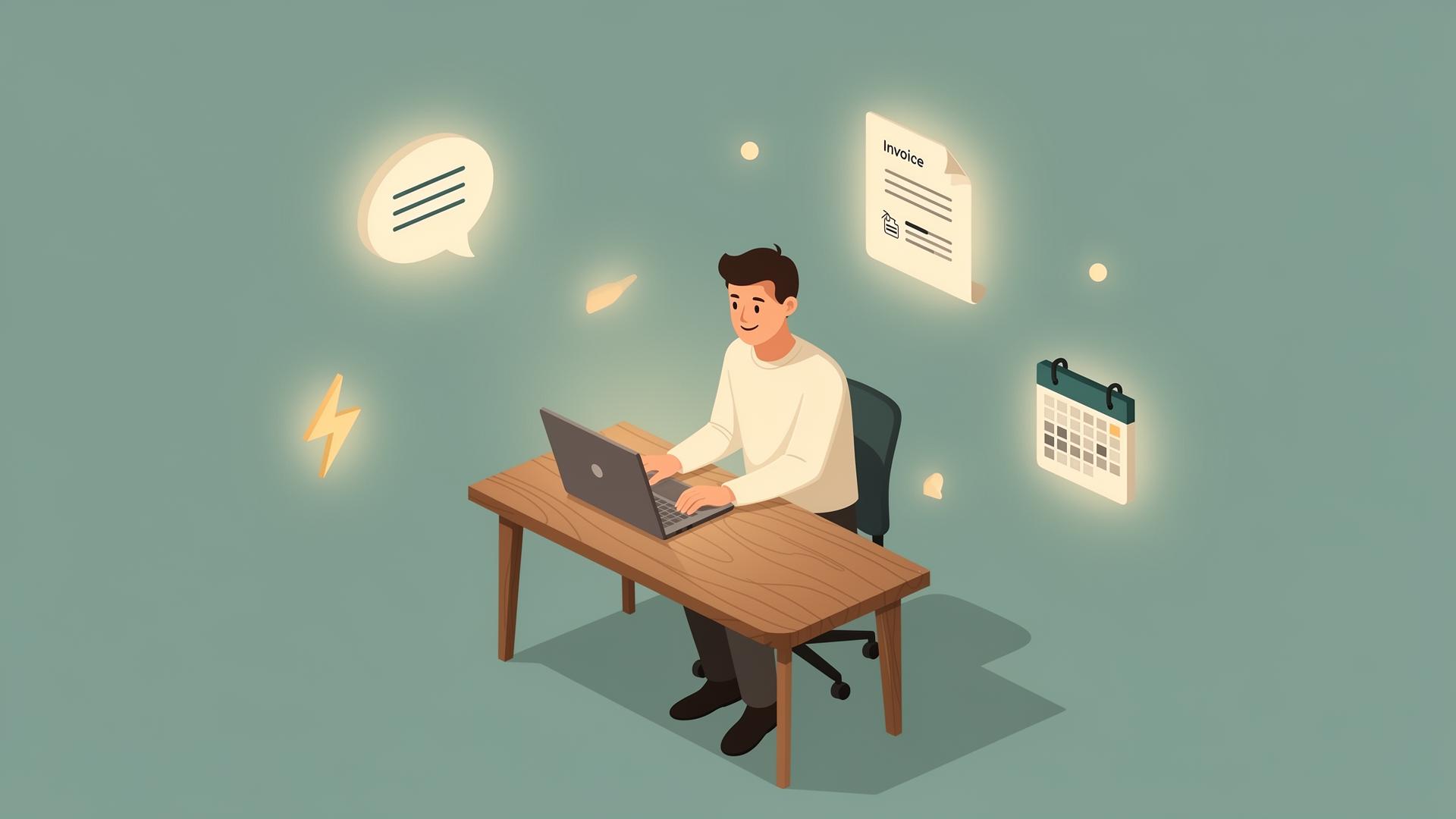
If you're searching for how to build an AI-first small business in 2026, start with the work that is taking over your day. A customer emailed at 11 PM and is still waiting. Two invoices need chasing. Three people want to book a call, and the back-and-forth to find a slot has eaten your whole afternoon. None of this is the work you actually started the business to do — it's the work that sits on top of it.
The practical case for AI in 2026 is straightforward: routine admin is taking too much time.
"AI-first" has become a slightly tired phrase, so let me be plain about what it means here. An AI-first small business is not defined by how many tools it uses or how often it talks about AI. It is a business where repetitive work runs reliably in the background, leaving the owner and team more time for judgment, relationships, and decisions.
The rest of this article shows how to get there without wasting money.
AI for small business in 2026: the state of play
A few years ago, the honest advice to most small business owners was "wait." The tools were clunky, expensive, or built for companies with engineers on staff. That window has closed.
The 2026 figures point in the same direction.
Here's the part most owners miss. By mid-2025, the US Federal Reserve found that small businesses were adopting AI faster than large firms — a reversal that hadn't shown up in the data before. The reason is simple: a tool that once needed an engineering team now runs on a $20-a-month subscription. For an owner already stretched thin, that changed the math entirely.
So the question has quietly shifted. It's no longer "Should I use AI?" It's "Where do I start, and how do I avoid wasting time on the wrong things?"
That second question matters more than it sounds. Because adoption being common doesn't mean it's being done well. By one estimate, only about 8% of businesses reach an advanced stage of AI use — most are stuck running one or two disconnected experiments.
The useful distinction is between owning tools and running a connected system.
What an AI-first small business actually means
If you take one thing from this article, take this: you don't need another tool subscription. You need a system that runs end to end. For the reasoning behind choosing connected work over isolated experiments, read about practical AI workflows for small businesses.
Picture the difference. Owner A buys an AI writing assistant in January, an AI meeting summarizer in February, a chatbot in March, and a scheduling tool in April. Five logins, $200 a month, and they're still doing half the work by hand because none of these tools talk to each other. That's a tool collection, not a system.
Owner B picks one painful, expensive process — say, leads going cold after hours — and builds a small loop that handles it completely: the website answers the visitor, captures the details, drops them into the CRM, and triggers a follow-up. One process, fully closed. Then they move to the next one. If lead follow-up is your first loop, start with an inbound lead follow-up workflow that keeps stalled conversations moving.
Owner B will beat Owner A every time, on a smaller budget. The typical AI-using small business now runs a median of five AI tools — but the ones getting real value aren't the ones with the most tools. They're the ones whose tools are wired together around a few specific jobs.
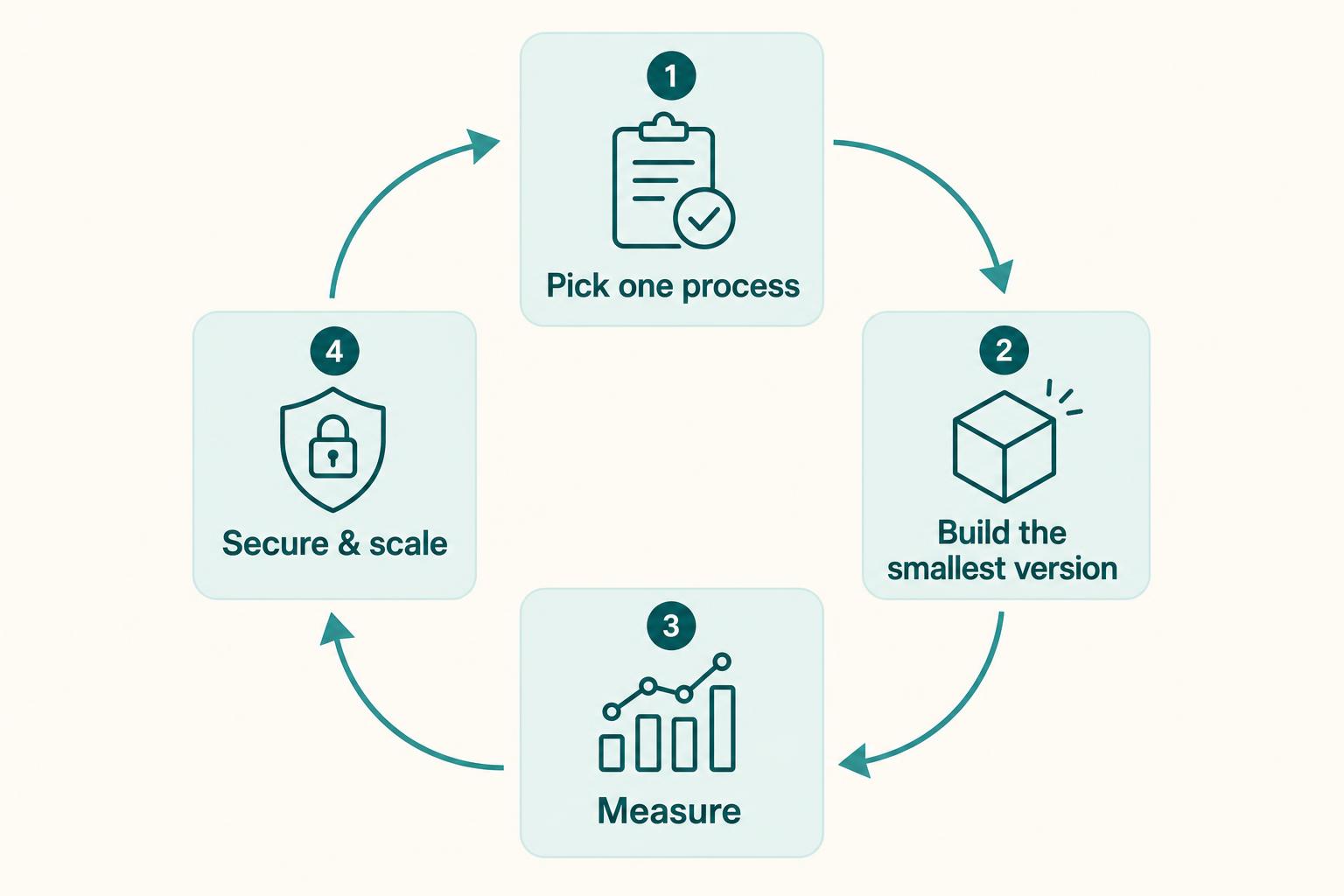
That's what AI-first means in practice. Not "we have AI." It's "this part of our business runs itself now."
Where to automate first in a small business
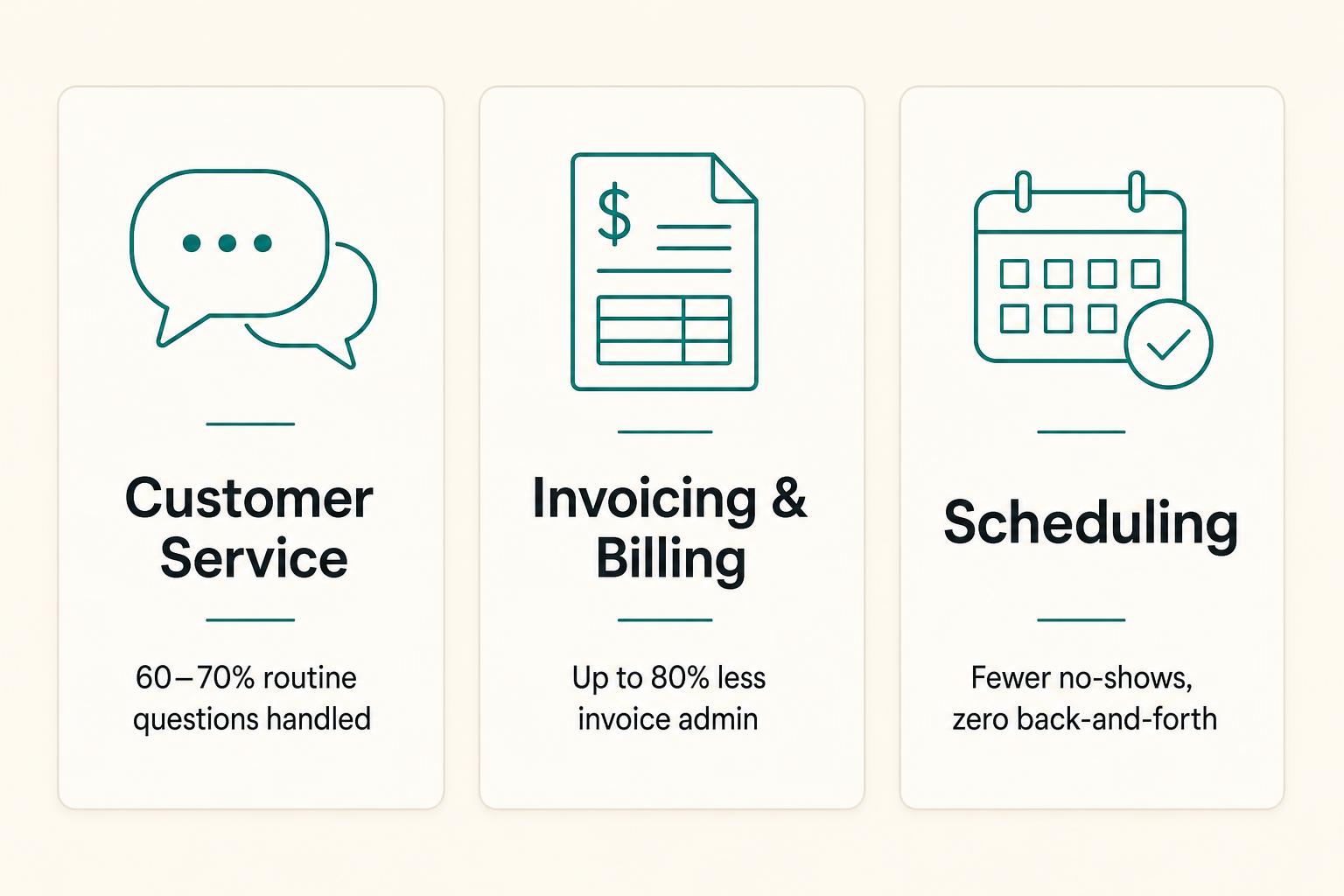
Don't automate everything at once. Start where delay or forgetting costs you real money. Three areas qualify for almost every small business.
1. Customer service — stop losing leads after hours
Most small business websites go quiet the moment you log off. A visitor lands at 9 PM with a buying question, gets silence, and is gone by morning. That's not a small leak — it's often the biggest one. A website must do more than answer visitors directly; it should also give AI systems clear, reliable information to cite, which is where AEO for small teams helps.
This is where an AI chatbot for small business can earn its place. Not the generic bot that loops "I didn't understand that," but one trained on your business — your services, your pricing, your FAQs — so it can answer the way you would. A well-built chatbot handles roughly 60–70% of routine questions on its own, books or qualifies the lead, and hands the genuinely complex ones to a human with context attached. For a closer look at the decisions behind useful after-hours bots, read this guide to after-hours chatbot lead capture.
A useful chatbot should know your business, match your tone, and escalate when needed. A bot that confidently makes things up is worse than no bot at all.
2. Invoicing and billing — automate the money first
Money tasks are the ones you can least afford to forget, and the ones most worth handing off. Modern accounting tools now categorize transactions, reconcile accounts, and chase overdue invoices on their own. Automated invoicing and payment reminders can cut processing time by up to 80% — and, just as importantly, they shorten the time between sending an invoice and actually getting paid, because the polite nudge always goes out, even when you forget.
If you do nothing else this quarter, automate invoice reminders. It's the rare change that protects your time and your cash flow at the same time.
3. Scheduling — kill the back-and-forth
The "what time works for you?" email thread is one of the most quietly expensive habits in small business. AI scheduling tools let people book directly into your calendar around real availability, send their own reminders, and cut no-shows without a single message from you. For service businesses especially, this alone can claw back hours a week.
A fourth area is worth a mention because it sits behind all three: lead follow-up. The follow-up that never happens is pure lost revenue. A simple automated sequence — triggered when someone fills a form or abandons a booking — is often the single highest-return automation a small business can run.
Notice the order: automate the expensive stuff first. Social media scheduling can wait. Invoice chasing and lead follow-up cannot.
Recommended AI tools for small business
Before the list, keep this money-saving principle in mind: where AI is already built into a tool you use, use that first. Don't bolt a separate AI app onto a job your existing software now does natively. The cleanest stacks in 2026 lean on embedded AI, not a drawer full of standalone gadgets.
Here's a sensible starting stack, grouped by the job it does. Treat these as well-tested categories rather than a shopping list — the right pick depends on your business.
Thinking, writing, and research (your everyday workhorse)
- ChatGPT, Claude, Gemini, or Perplexity. One general AI assistant for drafting, summarizing, research, and untangling problems. Most owners need exactly one of these, not all four. Each has a capable free tier — start there.
Customer service
- A chatbot trained on your own content for the website, plus an AI-assisted help desk (Zendesk and similar now use AI agents to draft replies and route tickets) if you handle real support volume.
Accounting and invoicing
- QuickBooks, Xero, or FreshBooks. Their built-in AI now handles categorization, reconciliation, and invoice reminders. This is the clearest "use the embedded AI" example — don't add a separate app for it.
Scheduling
- An AI scheduling or booking tool that connects to your calendar and sends its own reminders. For calendar-heavy teams, tools that auto-arrange your week around priorities are worth a look.
CRM and sales
- HubSpot, Pipedrive, or Close to hold your contacts and deals, most now with AI features for follow-ups and notes. A CRM is what stops leads from falling through the cracks — it's the spine the rest connects to.
Marketing and content
- Your general AI assistant plus a design tool like Canva for visuals. Tools in this category save AI-using small businesses an estimated 5 to 15 hours a week on content work, per HubSpot's 2025 marketing data.
The connective tissue
- Make, Zapier, or n8n to wire the above together so a new lead in one tool shows up in the next without copy-paste. This is the layer that turns a collection of tools into an actual system.
You don't need all of these on day one. You need the two or three that map to the painful work you identified above. The rest can wait until you've proven the first ones earn their keep.
A step-by-step implementation guide
Here is how to make AI work for your business in 2026, one workflow at a time. Follow the steps in order.
- Audit your week before you buy anything. For one week, note every task that is repetitive, takes real time, and doesn't need your judgment. Replying to the same questions, chasing invoices, booking calls, copying data between tools. This list — not a tool review — is your map.
- Pick one process. Just one. Resist the urge to automate everything at once. Choose a single workflow with a clear, measurable cost — leads going cold after hours, or overdue invoices, or no-shows.
- Decide your success metric up front. Before you switch anything on, write down what "working" looks like in a number. Cut response time from 12 hours to under 5 minutes. Reduce overdue invoices by half. Save 4 hours a week.
- Build the smallest version that works. Set up the tool for that one process and nothing else. Train the chatbot on your real FAQs. Turn on invoice reminders. Connect the booking page. A small thing that fully works beats a big thing that half-works.
- Test it like a skeptical customer. Run real scenarios. Ask the chatbot your trickiest question. Send yourself a test invoice. Book a fake appointment. Watch where it breaks or sounds wrong, and fix that before anyone real touches it.
- Measure against your Step 3 number, then decide. Give it two to four weeks. Did it move the metric? If yes, keep it and move to the next process. If no, change it or drop it — without guilt.
- Secure it before you scale it. Turn on multi-factor authentication, use a password manager, and check what customer data each tool can see. It takes an afternoon and prevents the kind of data disaster that genuinely sinks small businesses.
Then repeat from Step 2 with the next process. That loop — one process, measured, secured, then the next — is how an ordinary small business quietly becomes AI-first over a few months, instead of buying a pile of software in a weekend and using 40% of it.
A few honest cautions
Building an AI-first business is an ongoing process, not a one-time setup. These cautions will help you avoid common mistakes:
More tools is not more progress. If a tool isn't tied to a specific job and a specific number, it's a cost, not an asset.
AI that makes things up is a liability. This matters most in customer service and anything involving money. Build in guardrails and a clean handoff to a human.
Keep a person in the loop where trust is on the line. Automate the repetitive 80%. Keep human judgment on the 20% that's sensitive, high-value, or emotional.
Don't automate a broken process. If your follow-up is bad, automating it just makes it bad faster. Fix the process first, then speed it up.
The bottom line
Building an AI-first small business in 2026 means focusing on the work that consumes your time, not chasing the newest tool. It's about being honest about where your week disappears, picking the one process that costs you the most, and closing that loop so it runs without you. Then doing it again. And again.
Start with the work that's frequent, boring, and expensive to forget. Measure everything. Secure it. Keep a human where it counts. Do that, and within a few months you'll have something far more valuable than a stack of subscriptions — you'll have a business that handles its own admin while you do the work that actually grows it.